

Netflix dual subtitles: two languages on screen in every show
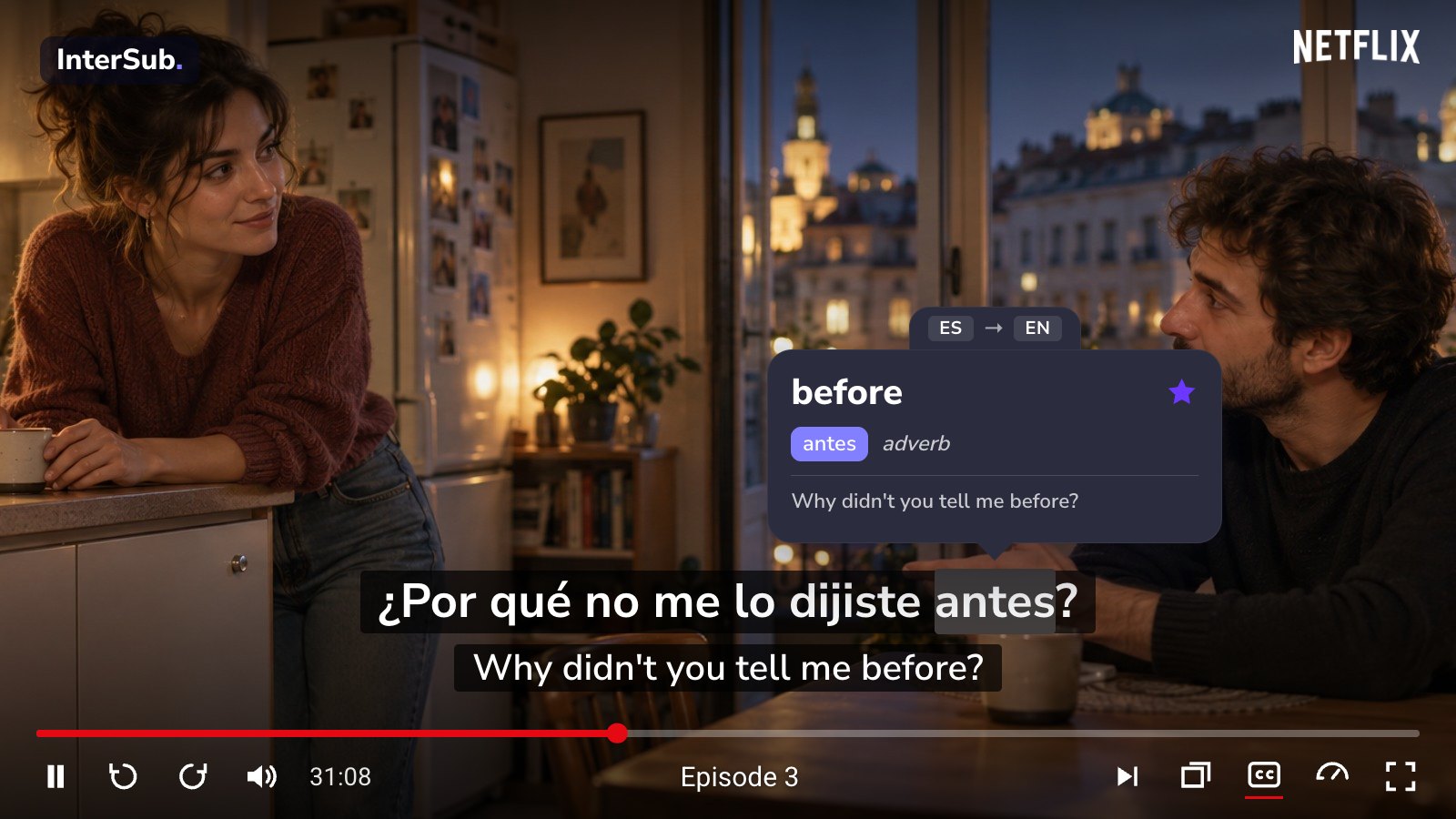
Netflix lets you pick one subtitle track at a time. Netflix dual subtitles from InterSub add a second line, so the dialogue and its translation stay on screen together and any word is one hover away from its meaning. Language learning with Netflix, without leaving the episode for a dictionary.
How to get Netflix dual subtitles
Install InterSub
Add the free InterSub extension to Google Chrome, Microsoft Edge or Firefox on your computer. Links for every browser are on the install page.
Choose your languages
Right after installation InterSub asks which language to translate from and which to translate into. Dual subtitles are on by default.
Open a Netflix title
Open Netflix in the same browser and start a film or an episode with subtitles: the second subtitle line appears under the original. D on the keyboard turns dual subtitles on or off.
What you get on Netflix
Two subtitle lines in your languages. The language you learn and your native language, one above the other. If the title has Netflix subtitles in your language, they become the second line for free. If not, the AI subtitle translator translates the first line on the fly: a paid feature, included in the free trial. A title without subtitles has nothing to show.
Second line only on pause. Follow most of the dialogue already? Keep one subtitle line while the episode plays and see the translation only when you pause.
Subtitles that match the audio. Netflix subtitles in your language sometimes follow the dub, not the original audio. The paid Translate 2nd subtitles (live) setting then translates the original line instead.
Pop-up dictionary on hover. Hover over any word in the subtitles: the episode pauses and the pop-up dictionary shows its meaning in the context of the scene. Idioms and phrasal verbs are translated as whole phrases, not word by word.
Words from your series, saved. Every word you look up goes to your Wordbook with the line it came from. Sync it with Anki or train the words in our Telegram bot.
Hotkeys, “Show subtitles on pause” and other tools are on the features page. The same dual subtitles work on YouTube, Prime Video, HBO Max and other sites.
Really helped me and my wife to watch movies as we have a different first language, she was able to learn some words or phrases from the movies as well. Overall really good quality compared to any other extension or app I've ever found. AND TRUST ME I'VE LOOKED AROUND.
Frequently asked questions
Can you have two subtitles on Netflix at once?
On a computer, yes. Netflix plays one subtitle track at a time; an extension such as InterSub adds the second line on top of the player in Chrome, Edge or Firefox. Getting Netflix two subtitles takes a minute: follow the steps above.
What if a Netflix title has no subtitles in my language?
Then the AI subtitle translator translates the original subtitles into your language on the fly. It is a paid feature: it works during the free 14-day Premium trial, with a promo code and on every paid plan, from the smallest Pay-as-you-go pack of 50 lookups. If a title has no subtitles at all, InterSub has nothing to translate.
Do Netflix double subtitles work for Korean, Japanese or Spanish shows?
Yes. InterSub supports more than 30 languages, including right-to-left Arabic and Hebrew. You choose the pair at installation and can change it later in the extension settings.
How do I watch Netflix with dual subtitles on a TV?
Netflix apps on TVs can't run extensions. Play Netflix in your computer's browser, show it on the TV with AirPlay, Cast or an HDMI cable, and use InterSub Remote Control on your phone to pause and look up words from the sofa.
How much do Netflix dual subtitles cost?
Dual subtitles are free when the title has subtitles in both languages. The free plan includes a monthly number of word lookups and starts with a 14-day Premium trial. Translating subtitles with AI is paid: Pay-as-you-go packs start at $1.49, and Premium with unlimited lookups starts at $6 a month. See plans and prices.
More questions about InterSub? See all answers in our FAQ.
Other cases
YouTube dual subtitles
Lectures, tutorials and talks on YouTube with two subtitle lines and a pop-up dictionary.
Learn Japanese with anime on Crunchyroll
Watch Crunchyroll anime with Japanese and English subtitles at once.
Udemy dual subtitles
Dual subtitles and a pop-up dictionary for every Udemy course.
AI subtitle translator
No subtitles in your language? Get them translated live while you watch.
AI sentence explainer
AI Language Buddy explains a word in context, then the whole sentence, slang and grammar.
Pop-up dictionary
Hover over a word in the subtitles or select it on a website to see its meaning in context.
Get Started with InterSub
InterSub is a free Netflix language learning extension for Chrome, Edge and Firefox. Install it today and learn a language from the next episode you watch.