


Learn languages with a pop-up dictionary and dual subtitles on YouTube and Netflix















Dual subtitles and a translator extension, right in the video player
Watch YouTube, Netflix, Prime Video, HBO Max, Crunchyroll, Bilibili.tv and TED, or take courses on Coursera, Udemy and LinkedIn Learning, with the original subtitle and its translation on screen together. It is immersion language learning inside the shows you already watch. InterSub works with English, Spanish and 30 other languages.
How the dual subtitles extension works
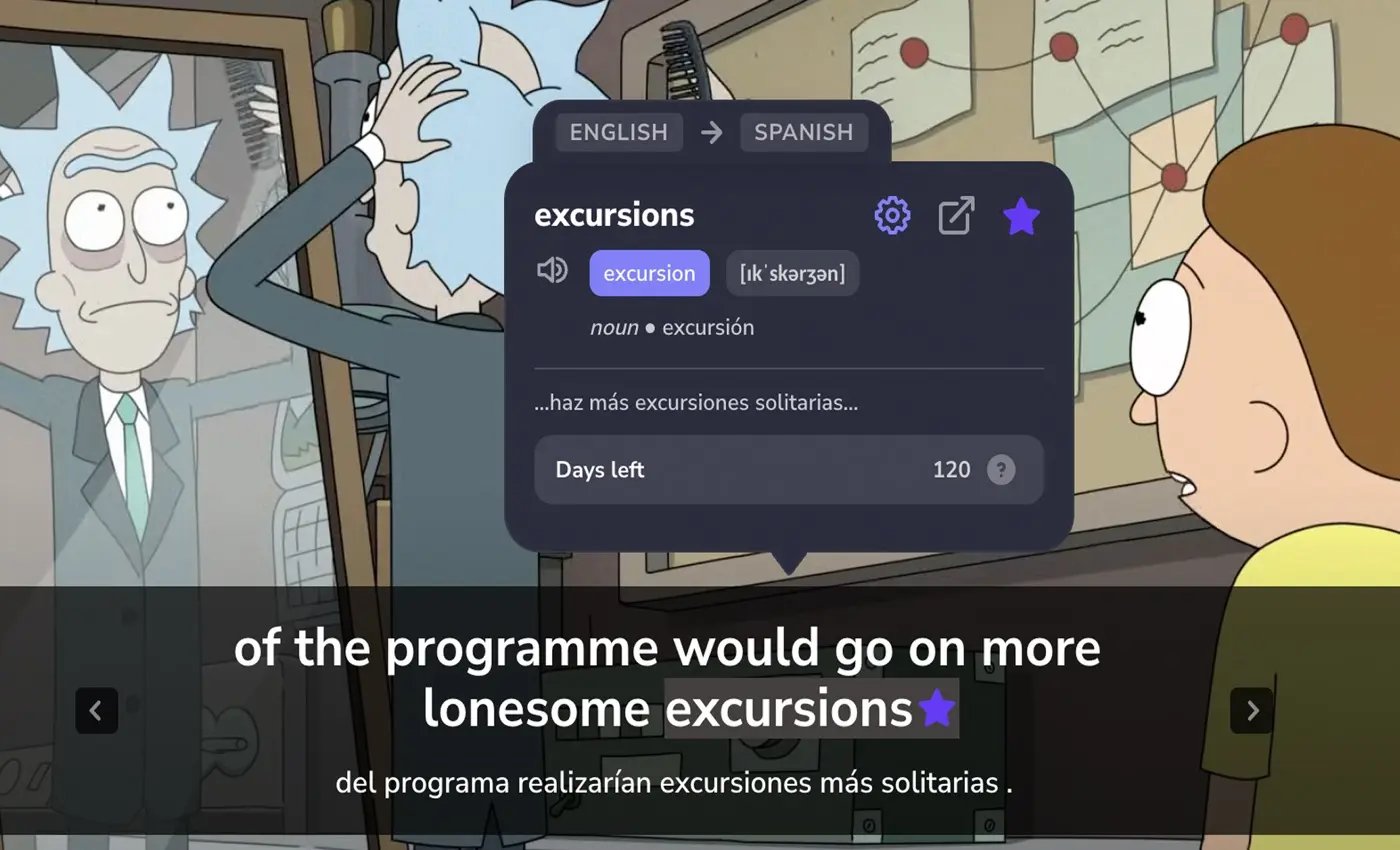
Dual subtitles in your two languages
Watch with subtitles in the language you learn and in your native language, one line above the other: Netflix dual subtitles for a series, YouTube dual subtitles for a lecture.
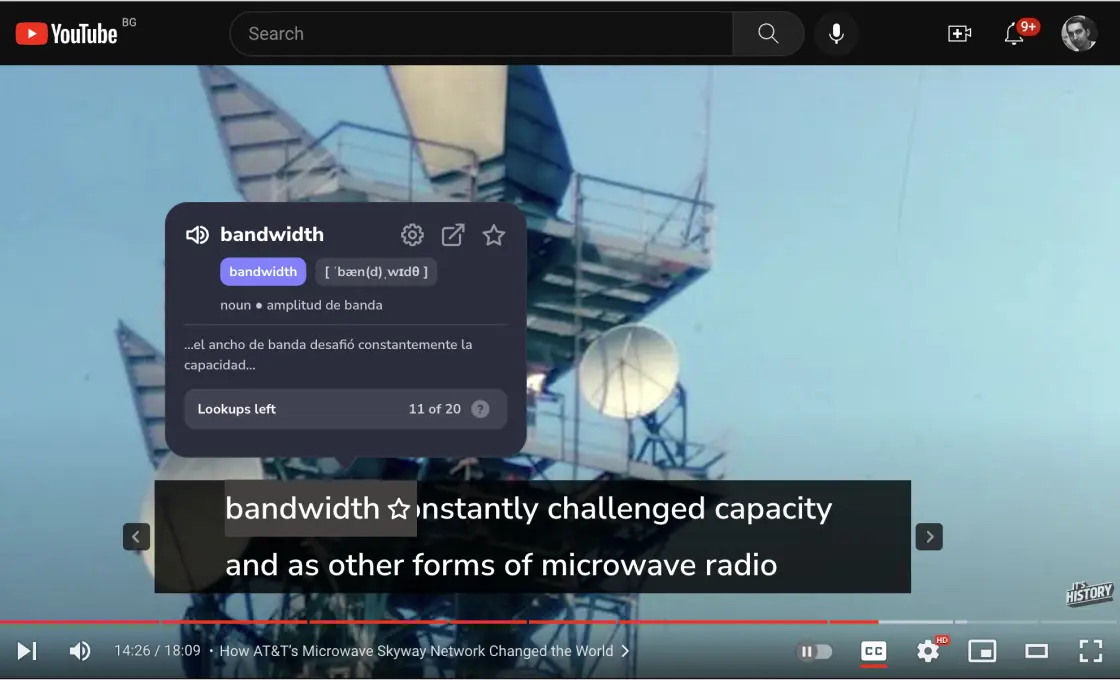
Pop-up dictionary on hover
Hover over any word in the subtitles. The video pauses, and a pop-up dictionary shows an AI-generated definition and a context translation of the words around it, so you see what the word means in this scene.
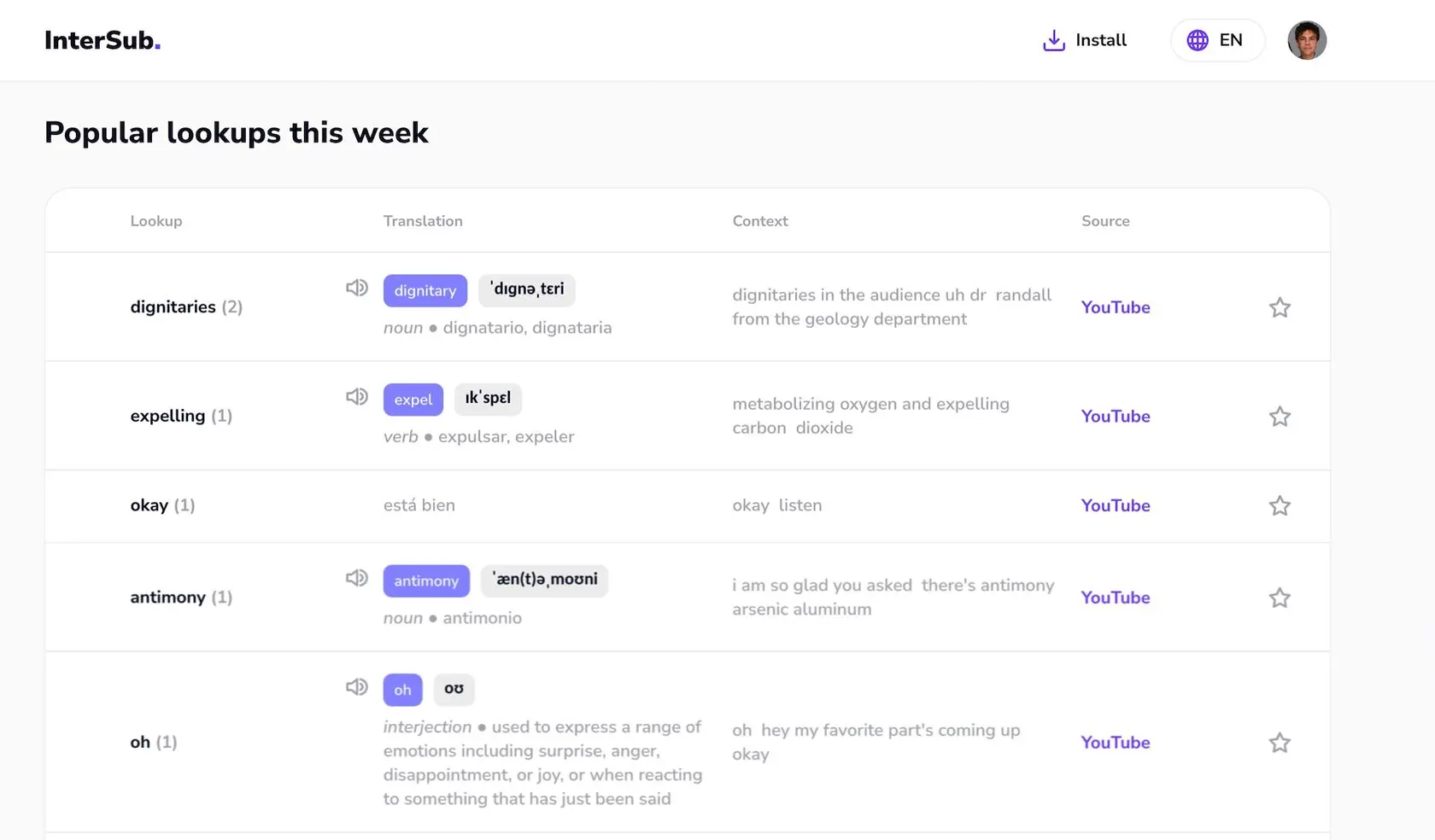
A vocabulary builder that fills itself
Every word you look up goes to your Wordbook with its context, so you learn new words from the scenes you actually watched.
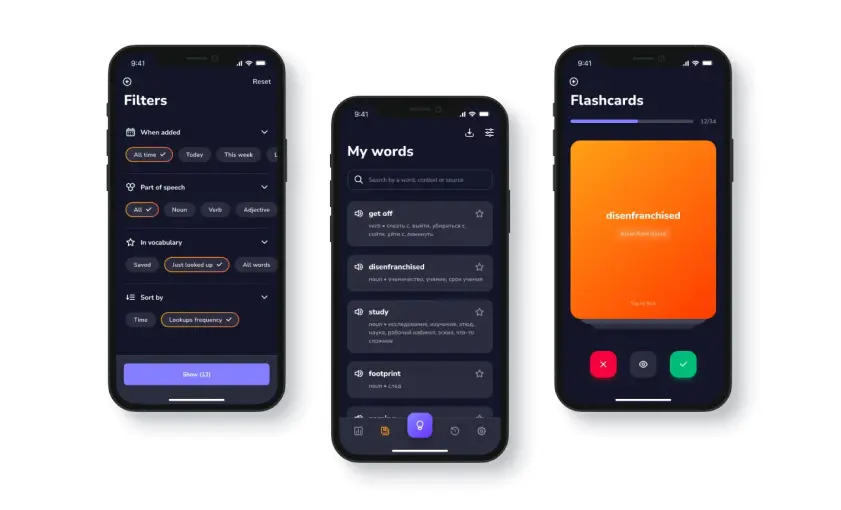
Learn new words in our Telegram bot
Train the words from your Wordbook in our Telegram bot with spaced repetition: it brings each word back just before you would forget it. Prefer flashcards on your computer? Sync your Wordbook with Anki.
Key features of the translator extension
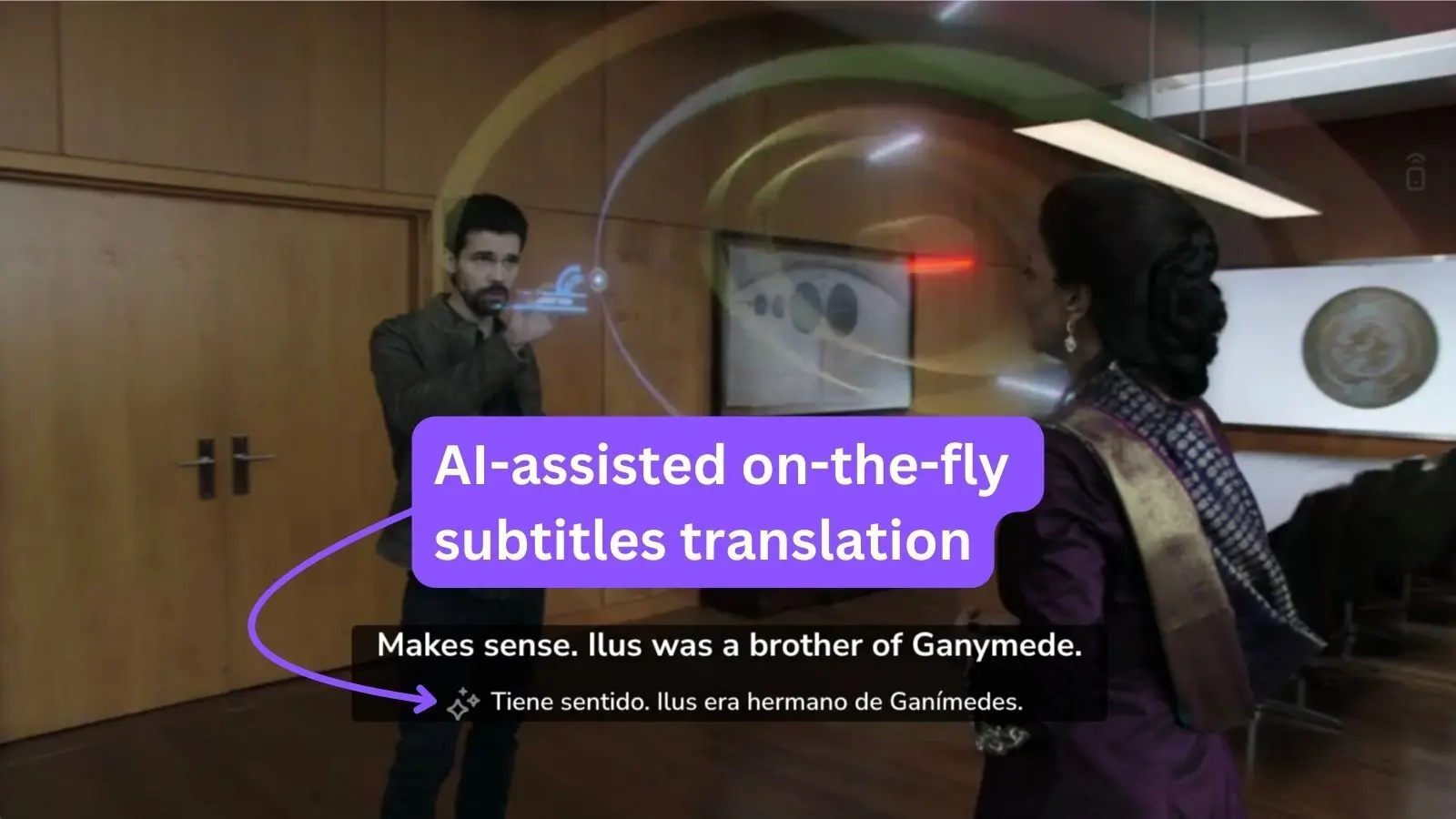
AI subtitle translator
No subtitles in your language? InterSub can translate subtitles on the fly with AI and show the translation as the second line. The subtitle translator works on Netflix, YouTube and other platforms, and gives you Crunchyroll AI subtitles for anime. It comes with every paid plan, and you can try it free during the trial.
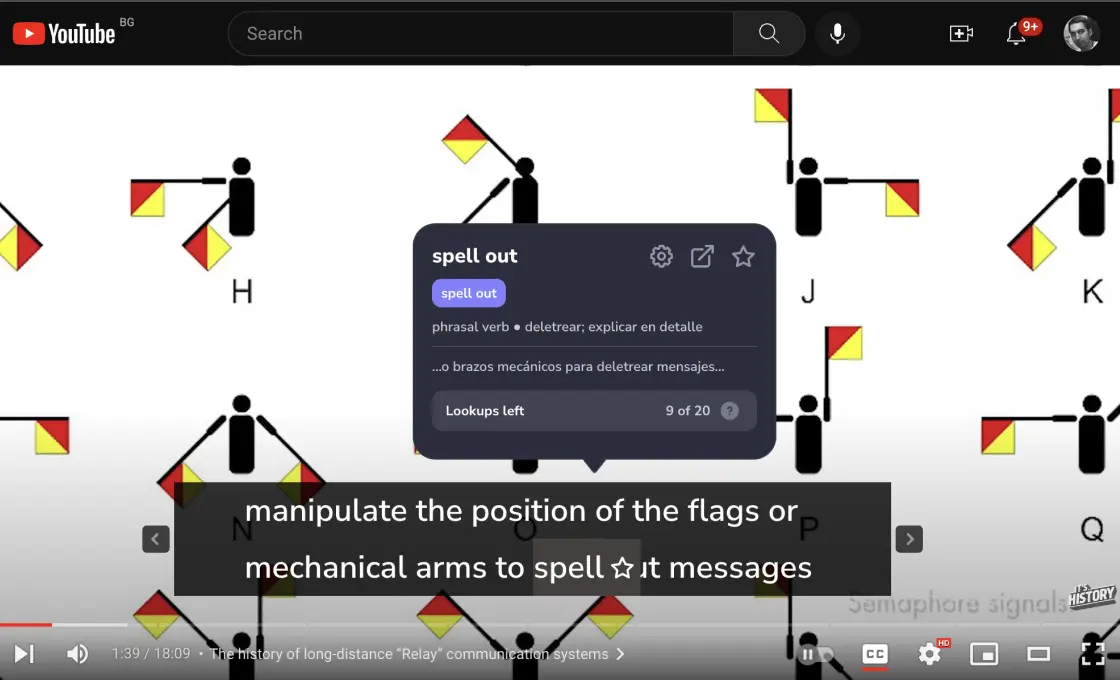
Phrases, idioms and phrasal verbs
The translator extension recognizes English phrasal verbs, idioms and compound nouns and translates the meaning of the whole phrase, not word by word.
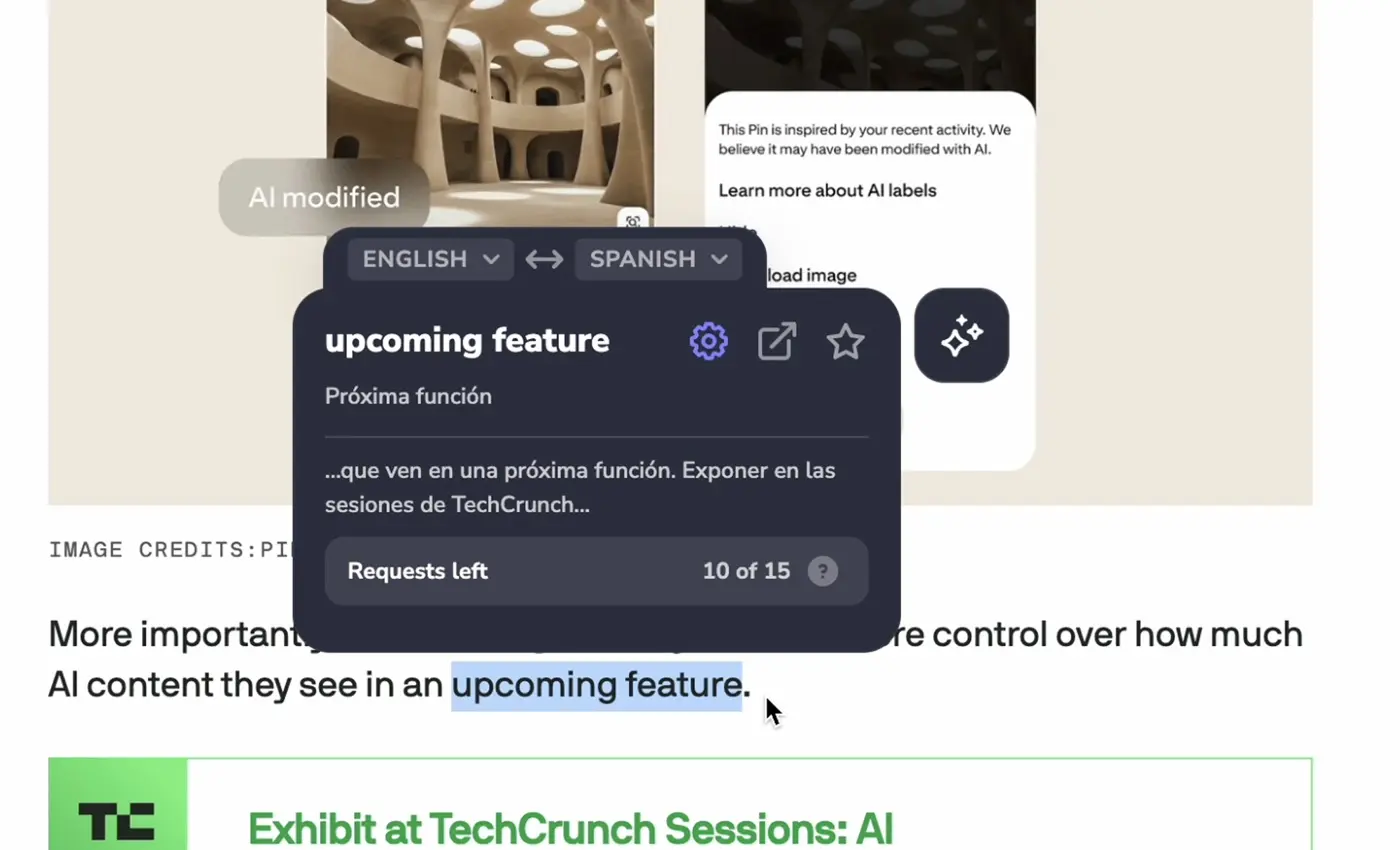
Instant translator on any website
Double-click or select a word on any website, and InterSub shows its translation in a pop-up. It works as a dictionary extension for articles and as a YouTube translator extension for comments and video descriptions: a Google Translate alternative that keeps every word in your Wordbook with a link to the page.
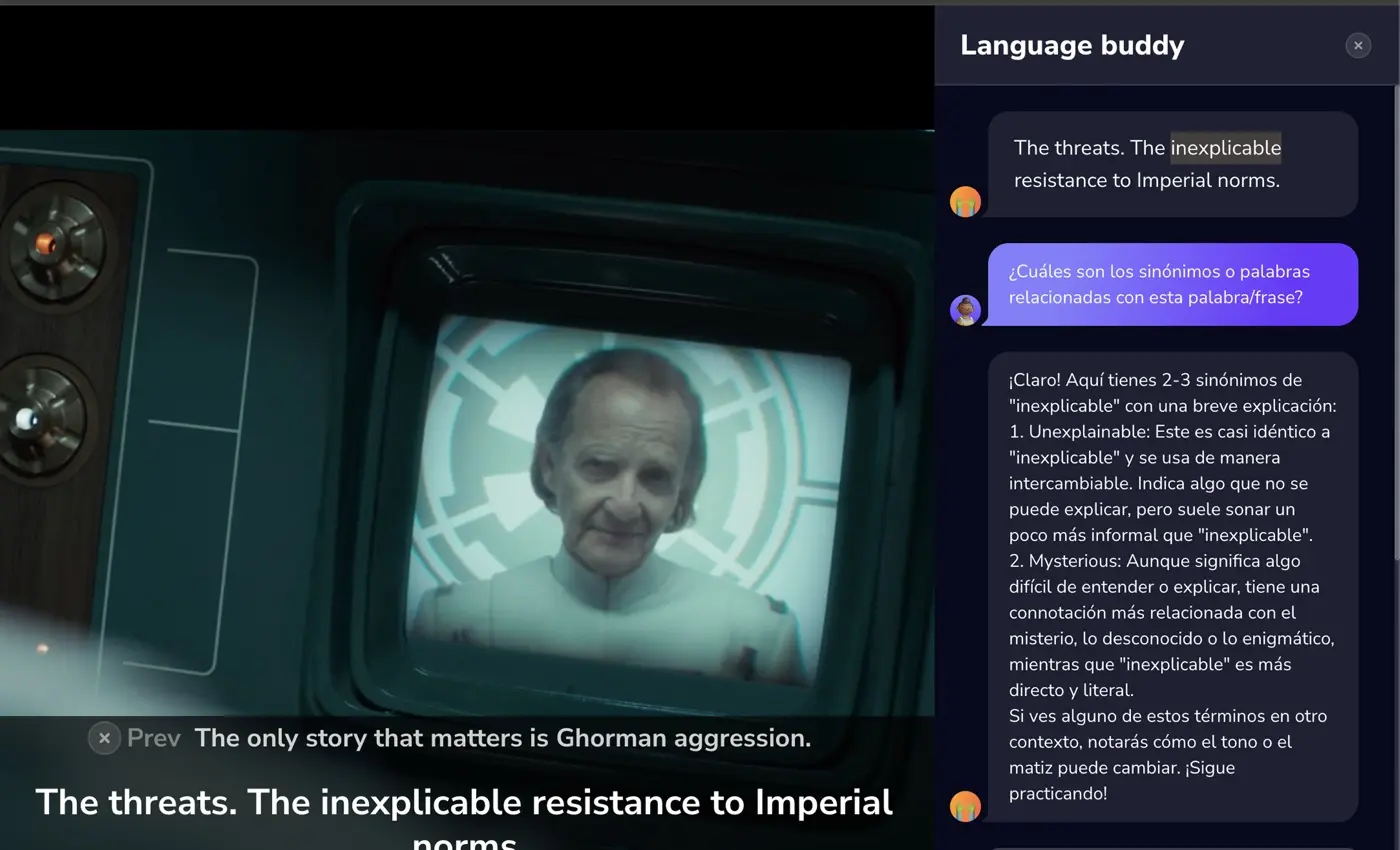
AI Language Buddy
Ask AI Language Buddy, your AI language tutor, about any word or line: what it means in this scene, why the grammar works this way, or what a cultural reference is about. It runs on ChatGPT, so it can translate meaning, not just words. AI language learning without leaving the episode.
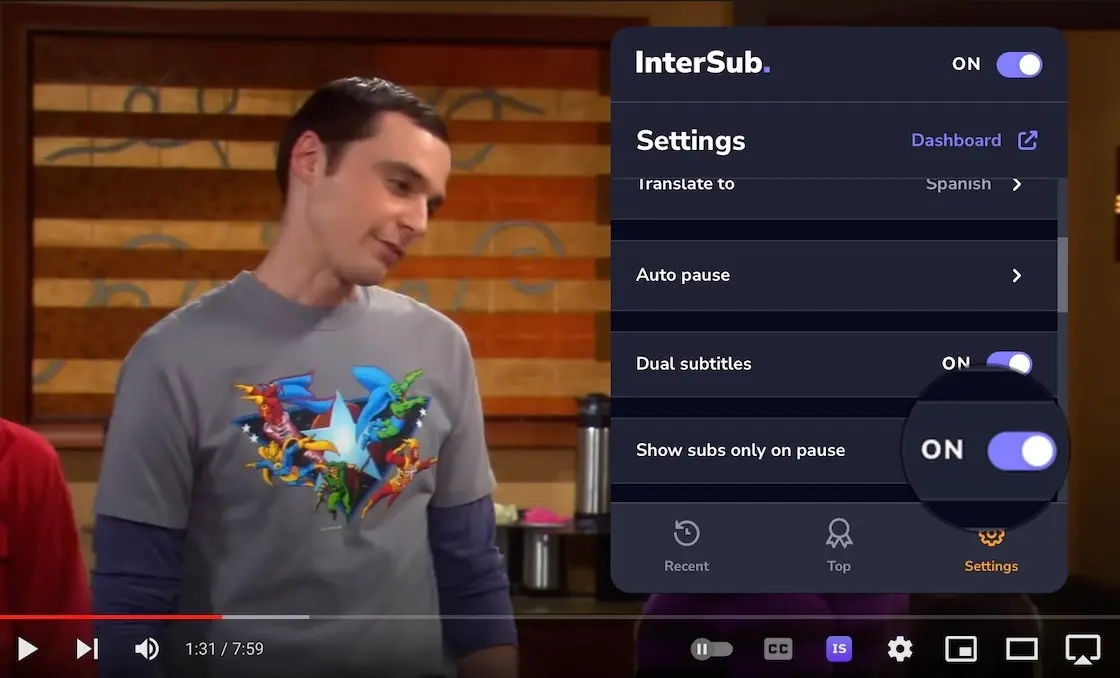
"Show subtitles on pause"
Train your listening: subtitles stay hidden while the video plays and appear when you pause. Shadowing mode stops after each line, so you can repeat it out loud.
See InterSub. dual subtitles in action

Grow your language skills with no extra time spent
Our 50,000+ customers are fond of InterSub.
- Love the feature! My English is pretty good, but I'm not native, so, sometimes a little help could be handy. The fact that now I can check the translation without distraction is awesome! And it is completely worth the few bucks of a subscription.
Elena - I was invited to the beta-test, and was quite impressed! Thank you, guys, and can't wait for the Dictionary function.
Nick - This function is really helpful! Translation to French seems pretty accurate. It’s great that there is no need to interrupt watching if you didn't understand a new word.
Alex - Really helped me and my wife to watch movies as we have a different first language, she was able to learn some words or phrases from the movies as well. Overall really good quality compared to any other extension or app I've ever found. AND TRUST ME I'VE LOOKED AROUND.
Pedro F.Chrome Web Store - Amazing app, helps me a lot while learning another language. It works stable, and i really like remote control feature.
A. Faruk U.Chrome Web Store - The best app for language learners ive ever seen
SerhiiChrome Web Store - Everything works, I recommend it. I especially liked the AI translation into Ukrainian from English.
LeonFirefox Add-ons - Really love what you guys have built! Would like this enabled for Picture-In-Picture mode for background learning. That would be ultimate.
RipplesFirefox Add-ons - I think this is the best extension to learning language in firefox.
Firefox userFirefox Add-ons - Amazing extension especially for student , all of people need this , thank you
Sahan S.Chrome Web Store - Great app with a lot of useful features
Tuyen L.Chrome Web Store - I really love this app, thank you so much!
Leo D.Chrome Web Store - That's so good, very convenient
Hân H.Chrome Web Store
Frequently asked questions
What is InterSub?
InterSub is a dual subtitles extension and a translator extension for Google Chrome, Microsoft Edge and Firefox. It shows interactive dual subtitles and instant word translations on YouTube, Netflix, Prime Video, Udemy, Coursera, LinkedIn Learning and TED, and saves the words you look up to your vocabulary builder.
How do dual subtitles work in InterSub?
While you watch, InterSub shows two subtitle lines: the original and your native language. Hover over an unfamiliar word to see a pop-up dictionary with a context translation. Every word you look up is saved in your InterSub Dashboard: click “Dashboard” in the extension settings to open it.
Which platforms does InterSub support?
Netflix, YouTube, Prime Video, HBO Max, Crunchyroll, TED, Coursera, Udemy and LinkedIn Learning, plus Bilibili.tv, Domestika, DW Learn German, Learn.cantrill.io and Shahid. On Crunchyroll and Bilibili.tv you can learn Japanese with anime the same way. The full list with instructions is on the how-to page.
Is InterSub suitable for beginners?
Yes. Dual subtitles let beginners follow the story in their native language while they see and hear the language they learn. The pop-up dictionary explains any word in one hover.
Can I use InterSub for multiple languages?
Yes. InterSub supports dozens of language pairs, such as English to Spanish, Spanish to English, English to Japanese, English to Chinese and German to English. Set “Translate from” and “Translate to” in the extension settings.
Is there a mobile version of InterSub?
InterSub is a desktop browser extension for Google Chrome, Microsoft Edge and Firefox. On your phone you can use Remote Control to pause the video and look up words, and practice your saved words in our Telegram bot or in Anki.
To start Remote Control, scan the QR code in the pop-up on the video. Apps for word practice are listed on this page.
To start Remote Control, scan the QR code in the pop-up on the video. Apps for word practice are listed on this page.
How much does InterSub cost?
Dual subtitles are free. The free plan includes a limited number of word lookups each month; Pay-as-you-go and Premium add more lookups and AI subtitle translation. See plans and prices.
Can I use InterSub offline?
InterSub requires an internet connection to function properly, as it provides real-time translations and subtitle synchronization.
How does the AI phrase translation work?
The AI recognizes English phrasal verbs, idioms and compound nouns in the subtitles and translates the meaning of the whole phrase. You can also ask the AI language tutor, AI Language Buddy, to explain a word, a grammar point or a cultural reference.
Is my learning data saved and accessible?
Yes. Every word you look up is saved in your InterSub Dashboard, your personal vocabulary builder. Open it with “Dashboard” in the extension settings, then “Words” in the side menu. From there you can sync words with Anki or export them to Excel.
How do I install InterSub?
Install the extension from the Chrome Web Store, Microsoft Edge Add-ons or Firefox Add-ons: open the InterSub page and click “Install”, usually in the top-right corner. Links for every browser are on the install page.
Which browsers are compatible with InterSub?
Google Chrome, Microsoft Edge and Firefox. Chromium-based browsers such as Arc and Brave use the Chrome version.
Can I customize the appearance of the subtitles?
Yes. You can change the size and position of the subtitles with hotkeys and choose a wide or narrow background. Shadowing pauses after each subtitle so you can repeat it, which helps with shadowing English or any other language.
How does InterSub differ from other language learning tools?
InterSub puts dual subtitles, a pop-up dictionary and a vocabulary builder into one extension that works across many platforms. The words you save then go to Anki or our Telegram bot for practice. If you have tried Language Reactor or Immersive Translate, InterSub is an alternative for learners who want both subtitles and word practice.
Is there a trial period for InterSub?
Yes. Every new account gets a 14-day free trial of Premium. After it you stay on the free plan with dual subtitles and a monthly limit of word lookups.
How often is InterSub updated?
We update InterSub regularly: new platforms, better subtitle loading and new learning features. See what's new.
Can I use InterSub for content in my native language?
While InterSub is primarily designed for language learning, you can use it to add subtitles in other languages to content in your native language, which can be useful for learning new vocabulary or improving reading skills in other languages.
How to use hotkeys with InterSub?
- Rewind / Fast forward with ← and →, and pause with Space key
- Resize main subtitles with = / - and secondary subtitles with Shift + = / -.
- Adjust subtitle position with the ↑ and ↓ keys.
- Toggle shadowing with the S key.
- Turn InterSub on/off with Ctrl+I (Cmd+I on Mac).
What is a Remote Control mobile app?
Remote control – the ability to control video playback and look up words in subtitles using any smartphone, without needing a computer. When paused, the subtitle and the translation of the selected unfamiliar word will be displayed. After closing the translation window, playback will automatically resume.
Scan the QR code over the video to launch Remote Control for the video you are watching!
Scan the QR code over the video to launch Remote Control for the video you are watching!
How do I update the InterSub plugin to the latest version?
To update the plugin, quit your browser application and restart it. We support Google Chrome, Microsoft Edge, and Firefox.
Get Started with InterSub.
InterSub is a free browser extension for Chrome, Edge and Firefox. Install it today and turn your screen time into language learning time.